How to Make a Digital Art Collage Online (Free)
Most "make a collage online" tools hand you a grid and ask you to drop in photos. You end up with a montage: a tidy arrangement of rectangles. That is one kind of collage, but it is not the only kind, and it is not what this guide is about.
This is about art collage: taking individual pieces of line art, arranging them on a canvas, and reshaping each one until they add up to something new. On Grovetracks every piece is made of editable strokes, so you are not gluing flat images together. You are positioning, resizing, recoloring, and layering real artwork. Nothing is locked. Everything can move.
The best part is that you do not start from a blank page. There is already a whole gallery of pieces to pull from: art drawn by other people, art traced from photos, and art generated procedurally. Collage here is simply the act of choosing some of it and arranging it your way.
Here is the whole flow, start to finish, in about five minutes.
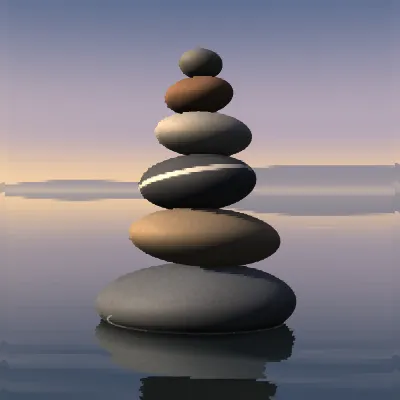
A piece like this cairn, grown entirely from procedural geometry, is the kind of thing already waiting in the gallery for you to pull into your own arrangement.
What you'll need
- A browser. That is it. You can explore and arrange right away, and sign in when you want to publish or save.
- A loose idea. A mood, a color, a shape, a theme. You can also just start pulling pieces and let the collage tell you what it wants to be.
Step 1: Open a canvas
Go to grovetracks.com, click Create, and open the canvas. A blank canvas is fine. The pieces you collage will come from the grove, not from your own drawing, though you are welcome to add your own strokes at any point.
Step 2: Open the Grove Browser
Press Ctrl+K, or tap the Grove Browser button, to open the panel where you find pieces. The Grove Browser has a few tabs:
- Explore searches the public gallery
- Following shows work from artists you follow
- Saved holds pieces you bookmarked earlier for exactly this moment
The Saved tab is worth building up over time. When you spot a piece you might want later, bookmark it. Your saved set becomes a personal supply shelf for future collages.
Step 3: Pick pieces to collage
Search or scroll for pieces that fit your idea. You can filter by how a piece was made: drawn by hand, generated procedurally, or traced from a photo. Mixing the three is where collages get interesting. A traced leaf, a hand-drawn character, and a procedural pattern can share a canvas and look like they belong together once you tune them.
Click a piece to place it, or drag it straight onto the canvas.
Step 4: Arrange and transform each piece
This is the heart of collage. Once a piece is on the canvas, you decide how it fits:
- Move it anywhere and resize it to scale
- Rotate and flip it to change its orientation
- Recolor its strokes to match your palette
- Clip it to keep only the part you want and drop the rest
Every change is non-destructive. The original piece in the gallery is never touched. You are shaping a copy, so you can experiment freely and undo anything.
Step 5: Layer and order your composition
Open the Layers panel to stack and reorder pieces. Bring one forward, send another back, and keep adjusting until the arrangement reads the way you want. Add as many pieces as the collage needs. A busy collage and a minimal two-piece collage are both valid, and the panel lets you manage either.
Step 6: Publish or save your collage
When the arrangement feels finished, you have two options:
- Publish it to the gallery. It gets a permanent link and a share card, and it joins the remix chain.
- Save it as a study, a private version you can keep refining before you decide to share.
Publishing is where collage becomes social. Every published collage can be branched by other artists, which means your arrangement can become the starting point for someone else's. And because each branch records its sources, the credit chain builds itself.
What to do next
Once you have made one collage, try these:
- Build a themed collage from a single source type. Five traced plants. Three procedural patterns. A set of hand-drawn characters.
- Make a deliberately mixed collage. One traced piece, one hand-drawn, one procedural, all recolored into one palette so they read as a single work.
- Branch someone else's collage and rearrange it. Move the pieces, swap the colors, add one of your own. See how far you can take it from the original.
Art collage versus photo collage
A quick clarification, because the words overlap. A photo collage maker arranges whole photos into a grid or montage, and the output is an image. Grovetracks makes art collage: you arrange editable stroke pieces into a composition, and the output is line art you can keep editing, recoloring, and remixing. If you want to bring a photo in, trace it first (see the guide on turning photos into doodles), then collage the strokes it produces.
If you are still deciding which tool fits your project, our guide to choosing an online drawing tool walks through the options.
Frequently asked questions
Is this a photo collage maker? Not in the usual sense. Most photo collage makers arrange whole photos into a grid or montage. Grovetracks makes art collage: you arrange editable stroke pieces that were drawn by hand, traced from photos, or generated procedurally, into a single composition. You can trace a photo first and then collage the resulting strokes, but the output is line art you can recolor and reshape, not a photo grid.
Can I make a collage without drawing? Yes. Collage is about arranging pieces that already exist, so a collage can be built entirely from other artists' work, traced photos, and procedural art. You can also add your own strokes and combine all three. Drawing is optional, not required.
Is it free? Yes. Making and arranging collages is free. You can browse and arrange without an account, and sign in when you want to publish or save your work.
Can I recolor and resize the pieces? Yes. Every piece is made of editable strokes, so you can move, resize, rotate, flip, recolor, and clip each one. Changes apply to your copy and never alter the original in the gallery.
Can other people use my collage? If you publish it, yes, and that is the point. Published collages join the remix chain, so other artists can branch from yours and build something new, just as you can branch from theirs. Every branch keeps its lineage automatically.
Ready to arrange something? Open a canvas on Grovetracks →